
Roblox 2006: Why The Past Is the Best Teacher for Game Devs
Learning from the Simplicity of Roblox 2006
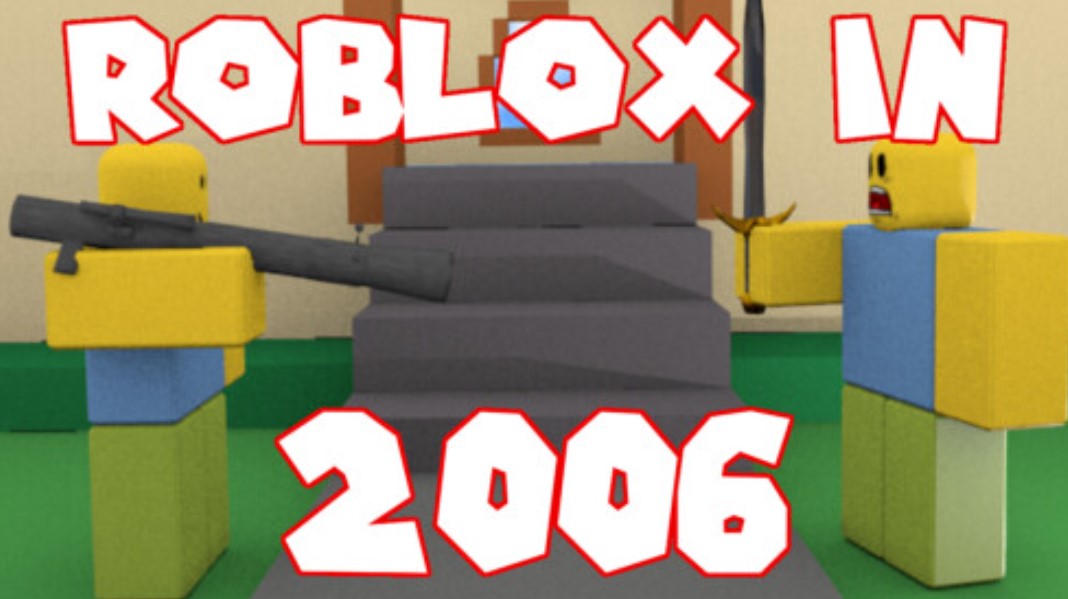
Honestly, when you think about Roblox 2006, what comes to mind? Probably those blocky, charmingly clumsy avatars and physics that, well, didn’t always make sense. But you know what? That bare-bones approach is actually a masterclass for any aspiring developer. Forget the sleek graphics and the crazy, intricate systems of today’s experiences-that early era was all about core gameplay. You had to make something fun with just bricks and a bit of Lua scripting. It was raw. It was purely about the idea.
The thing is, we sometimes get totally lost in the engine – Unreal, Unity, even modern Roblox Studio-and all the fancy tools. We spend hours on shaders or hyper-realistic textures. But what if your core loop, the thing that keeps players clicking “Play,” isn’t even there? That’s where looking back at Roblox 2006 really helps. Developers then didn’t have the graphical power, so they were forced to be creative. They focused on fun, not fidelity. They had to be brilliant about mechanics because the eye candy wasn’t there to save them. That’s a huge lesson, isn’t it?
The Blocky Truth: Why Constraints Breed Creativity
It’s a common saying in the creative world: constraints breed creativity. And for a beginner game developer, those early Roblox limitations are practically a syllabus. You’re just starting out, right? Maybe you’re grappling with Lua – it’s super beginner-friendly, but still, coding is coding. Don’t try to build the next Jailbreak straight out of the gate. That’s just a recipe for burnout:
- Start Small, Really Small: Make a single, interesting obstacle. A door that opens when you touch a colored brick. A part that explodes with that classic 2006 red ball effect.
- Embrace the Low-Fidelity Aesthetic: That simple, blocky style is forgiving. You don’t need to be an amazing artist. Focus on clear, recognizable shapes.
- Master the Core Scripting: Get comfortable with variables, loops, and those all-important
Touchedevents. That’s your foundation, your digital brick and mortar.
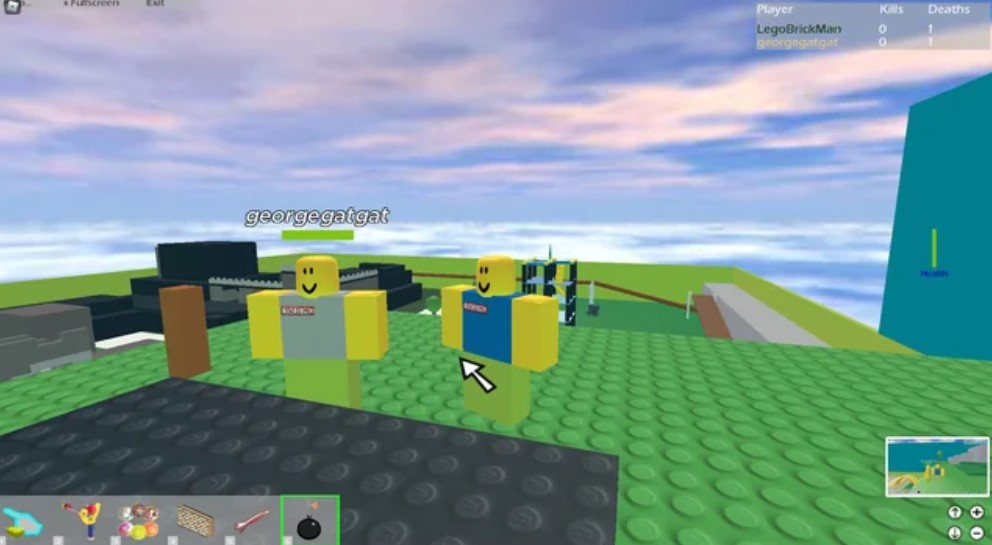
Think of it like learning to draw. You don’t start with a hyper-realistic portrait; you start with basic shapes. The early days of Roblox were exactly that for game development. It gives you a safe sandbox to figure out what actually makes a game work on a fundamental level.
That Classic Bounce and Glitchy Charm of Roblox 2006
Let’s talk about the feel. The original Roblox 2006 had a certain jankiness, didn’t it? The physics were a bit glitchy, and when you jumped, your character would sometimes have that weird little extra bounce. It was charming. It was unique.
How Do You Bottle That Nostalgia?
For current developers wanting to capture that vibe – maybe for a retro experience – you can’t just slap on an old texture. It’s in the subtle details.
| 2006 Roblox Feature | Modern Dev Lesson |
| Glitchy Physics | Don’t obsess over perfection initially. A small, endearing ‘bug’ can be a feature. It adds character. |
| Red Ball Explosions | Sensory feedback is vital. Even a simple visual effect makes an action feel powerful and satisfying. |
| Simple UI | Clarity over clutter. Can your player understand the goal instantly? The old menus were basic, but they worked. |
This isn’t about being lazy; it’s about being intentional. If you’re making a modern game, you should aim for polished physics, sure. But if you’re playing on nostalgia, those “imperfections” are actually part of the emotional connection for players who were there. It’s a reminder of a simpler time, a feeling you want to spark in them.
Simple Code, Big Ideas: The Lua Advantage
Lua is the language of Roblox, and it’s a brilliant choice for beginners. It’s lightweight, easy to read, and it practically forces you to write code that’s not overly verbose. What I think a lot of new scripters forget is the elegance of simplicity.
Look, you don’t need a huge, sprawling codebase to have a brilliant game. The best games from the Roblox 2006 era probably had fewer than a few hundred lines of code, but those lines did exactly what they needed to do.
ObserverGames Tip: When you’re scripting, try to imagine explaining your code to a friend. If you can’t, it’s probably too complicated. Keep your functions short. Give your variables names that make sense, like
doorOpenTimeinstead oft. That’s just cleaner. Honestly, readable code is a kindness to your future self.
A great way to practice is by replicating old-school mechanics using the modern Studio.
Recreating the Classics: A Mini-Dev Project
- The Classic Teleporter: A basic part that instantly sends a player to another place. Simple, but it teaches you about player events and the
CFrameproperty. - The “Fall to Your Doom” Lava: A part that instantly kills a player on touch. Teaches you about the
Humanoidand theTakeDamagefunction. - The Old-School Stud-Based Building: Use the classic stud texture and only basic parts. It forces you to think spatially and economically with your virtual bricks.
This kind of project isn’t just a fun nostalgic trip; it’s active learning. It takes you back to the fundamentals where every single line of code mattered.
Why Developers Need to Look Beyond the Hype?
Let’s face it: the current Roblox scene is huge. There’s money, there’s massive teams, and there’s a ton of pressure to hit it big. But that pressure can totally stifle creativity. You start chasing trends instead of building what you find genuinely fun.
When we talk about the Roblox game from 2006, we’re talking about an era before the massive monetization, before the stock market debut, before the platform became this enormous virtual economy. People were making games just because they loved making games.
| Era | Primary Focus | Key Takeaway for Beginners |
| 2006 | Pure creation; simple, fun mechanics. | Focus on the Fun: Prioritize a great concept over technical spectacle. |
| Today | Polished experience; monetization; high production value. | Embrace Iteration: Learn from the past, but apply modern development tools for refinement, not just for flash. |
You know what? That passion-that feeling of just building something cool – is what will carry you through the tough parts of game development. Because there are tough parts. There are days when your script won’t work, and you just want to throw your monitor out the window. But if you hold onto that pure excitement that drove the early creators of Roblox, you’ll keep going. We’ve all been there!
The biggest lesson from that 2006 foundation is this: You can start now. You don’t need a massive team, a huge budget, or years of experience. All you need is a neat idea and the willingness to learn Lua and experiment in Studio. So go boot up Studio. What are you waiting for?
FAQ
What was the major programming language in Roblox 2006?
The primary programming language has always been Lua (or a dialect of it), which is super helpful because it’s lightweight and perfect for game scripting, even for beginners.
What were the graphics like back then?
They were extremely simple – very blocky, low-resolution textures, and minimal lighting effects. Think of it as charmingly retro, kind of like playing with actual LEGOs.
Is it still possible to create a game that looks and feels like Roblox 2006?
Absolutely! You’d want to adjust your game’s lighting to a more basic Voxel or even ShadowMap setting, use the R6 avatar type, and primarily build with simple, un-smooth parts with the classic Stud texture.
What’s the best advice for a beginner game developer on the platform?
Start with a single, small mechanic. Don’t try to use a free model for everything. Code and build it yourself, even if it’s clumsy at first. It’s the only way you really learn.
Did Roblox have a virtual currency in 2006?
Yes, they did! The currency was called Roblox Points at first, but it quickly became Robux – the very same virtual cash we use today, though its value and acquisition methods have changed.
How important is the Roblox 2006 era to the platform’s history?
It’s hugely important; it’s the beginning! It set the standard for user-generated content and showed that a platform focused on simple, creative building could actually succeed.
Where can I learn more about Lua for my Roblox project?
The official Roblox Creator Hub has excellent, simple tutorials, but honestly, looking up beginner Lua scripting on YouTube is often the fastest way to get a feel for the language’s flow.
Conclusion
We’re the ObserverGames team, and we’ve been in the trenches – building, coding, and sketching out ideas for years. The journey from that first block on a baseplate to a fully realized game is a wild one, but it starts by learning the basics, just like the devs of Roblox 2006 had to.
If you enjoyed this trip down memory lane and found some solid tips for your own projects, support our team by sharing this post online across social media and adding this content to bookmarks for those days when you need a creative boost. You can also write to the ObserverGames team directly if you seek creative or commercial collaboration. We’re always looking to connect with passionate creators!